I posted this over in the freePBX forums but of course I got no one to respond. If anyone and help me with the wisdom of Sangoma please help!
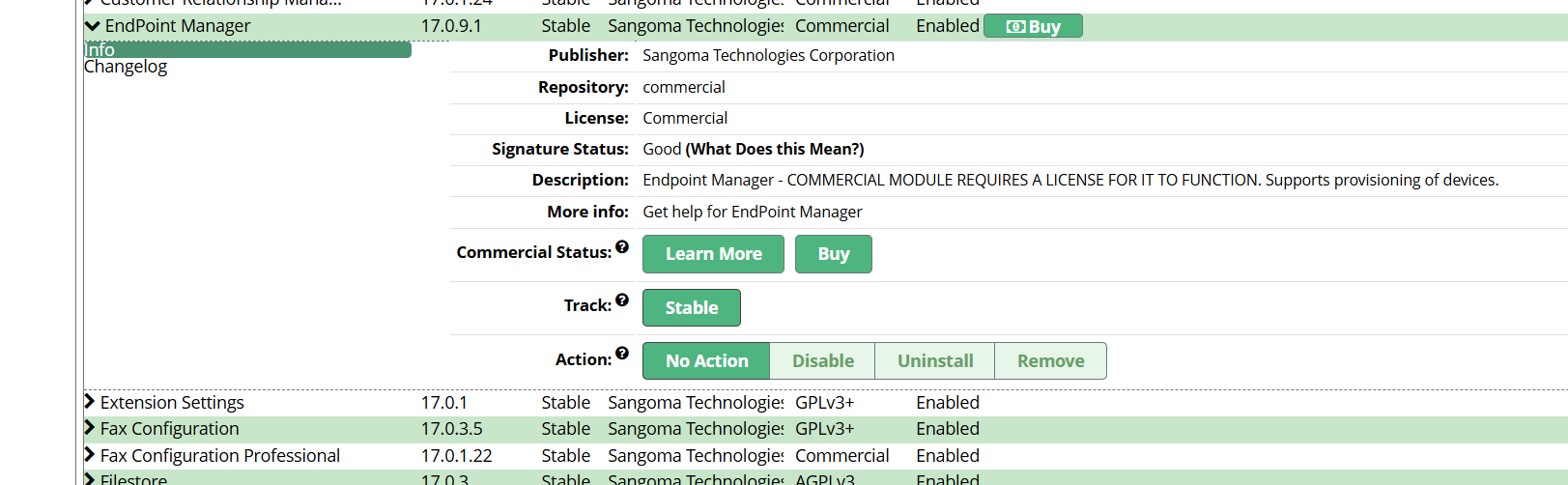
I recently purchased the commercial Endpoint Manager (EPM) module for my PBXact system through the Sangoma Portal. The license now shows up in my portal account, but I’m not sure about the next steps to actually get it installed and activated on my PBXact server.
Could someone walk me through the correct process?
Do I need to deploy anything manually?
Does it appear automatically in Module Admin after the license is linked?
Is there a specific “deploy” or “apply” step I’m missing in the Sangoma Portal?
PBXact GUI?
Any step-by-step help would be greatly appreciated!
Choose the appropriate license based on your needs (single-site or multi-site).
Add to Cart and Purchase:
Add the license to your cart and proceed to checkout.
Complete the purchase process by providing necessary payment details.
Receive License Key:
Once purchased, you will receive an email with your license key. Keep it handy for the setup process.
Step 2: Install Endpoint Manager
Log into PBXact:
Access your PBXact interface via a web browser.
Access Module Admin:
Click on Admin in the top menu, then select Module Admin.
Find and Install EPM:
Look for the Endpoint Manager module.
If it’s not installed, check the Available Modules tab, select it, and click on Download and Install.
Step 3: Enable Endpoint Manager
Enable EPM Module:
After installation, find the Endpoint Manager in the Module Admin.
Check the box next to it and click Enable.
Step 4: Configure Endpoint Manager
Access EPM Settings:
Navigate to Applications on the top menu and select Endpoint Manager.
Enter License Key:
Within the EPM interface, you may be prompted to enter your license key. Input the key you received upon purchase.
Configure Devices:
Start adding and configuring endpoints (phones) as needed.
Use the device templates to customize settings for each phone model.
Save and Apply Changes:
Follow prompts to save any changes made to your configurations.
Ensure you apply any configuration changes.
Step 5: Test the Setup
Reboot Endpoints:
Once configured, reboot the phones to ensure they receive the updated settings from the EPM.
Verify Functionality:
Check that the endpoints register correctly and that all features function as expected.
Additional Notes
Support: If you encounter issues, consider reaching out to Sangoma support for assistance.
Documentation: Review the official documentation for detailed instructions on using advanced features within EPM.
By following these steps, you can successfully set up Endpoint Manager in PBXact, including purchasing and applying your license. If you have further questions, feel free to ask!
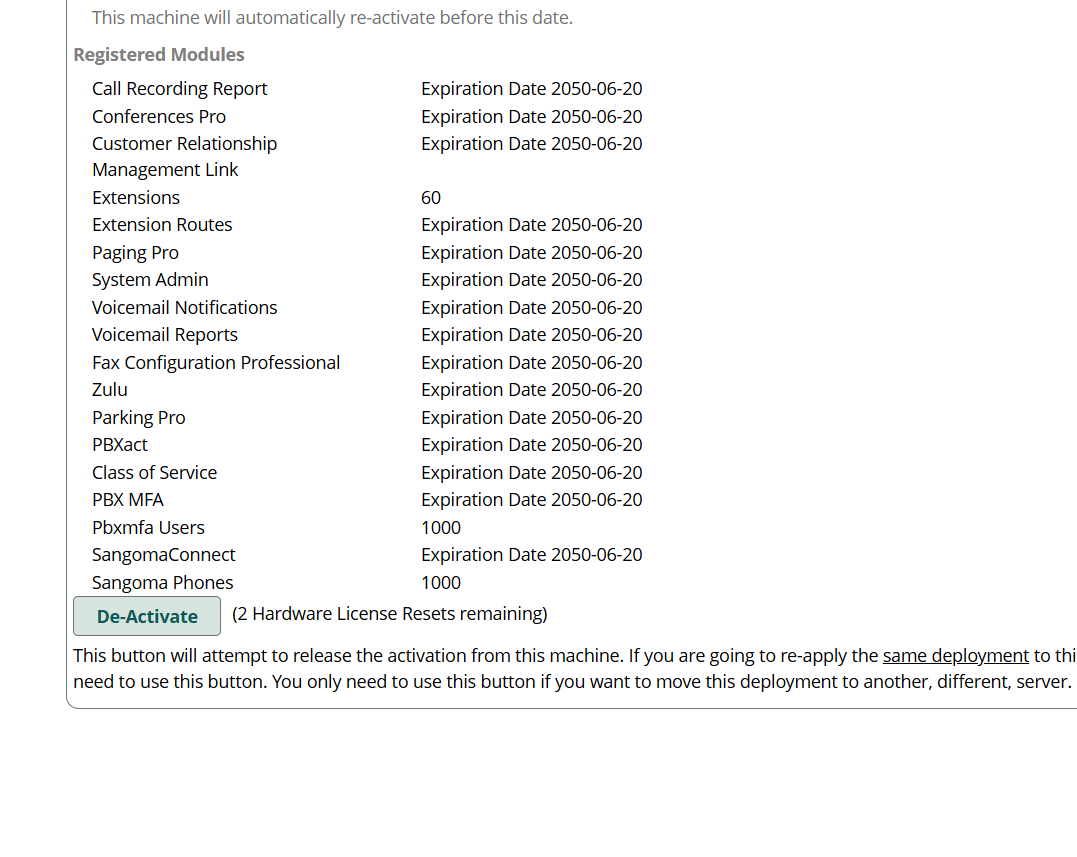
once you updated the activation on the activation page in sysadmin, does it show that you have a license for EPM? if so, you just need to install endpoint with fwconsole ma downloadinstall endpoint in the CLI or download it through the module admin page in the CLI.
ROFL, I may just be very tired. But trying to figure out how to get support was harder than trying to figure out how to get EMP working. This really is pretty funny in a very sad way.
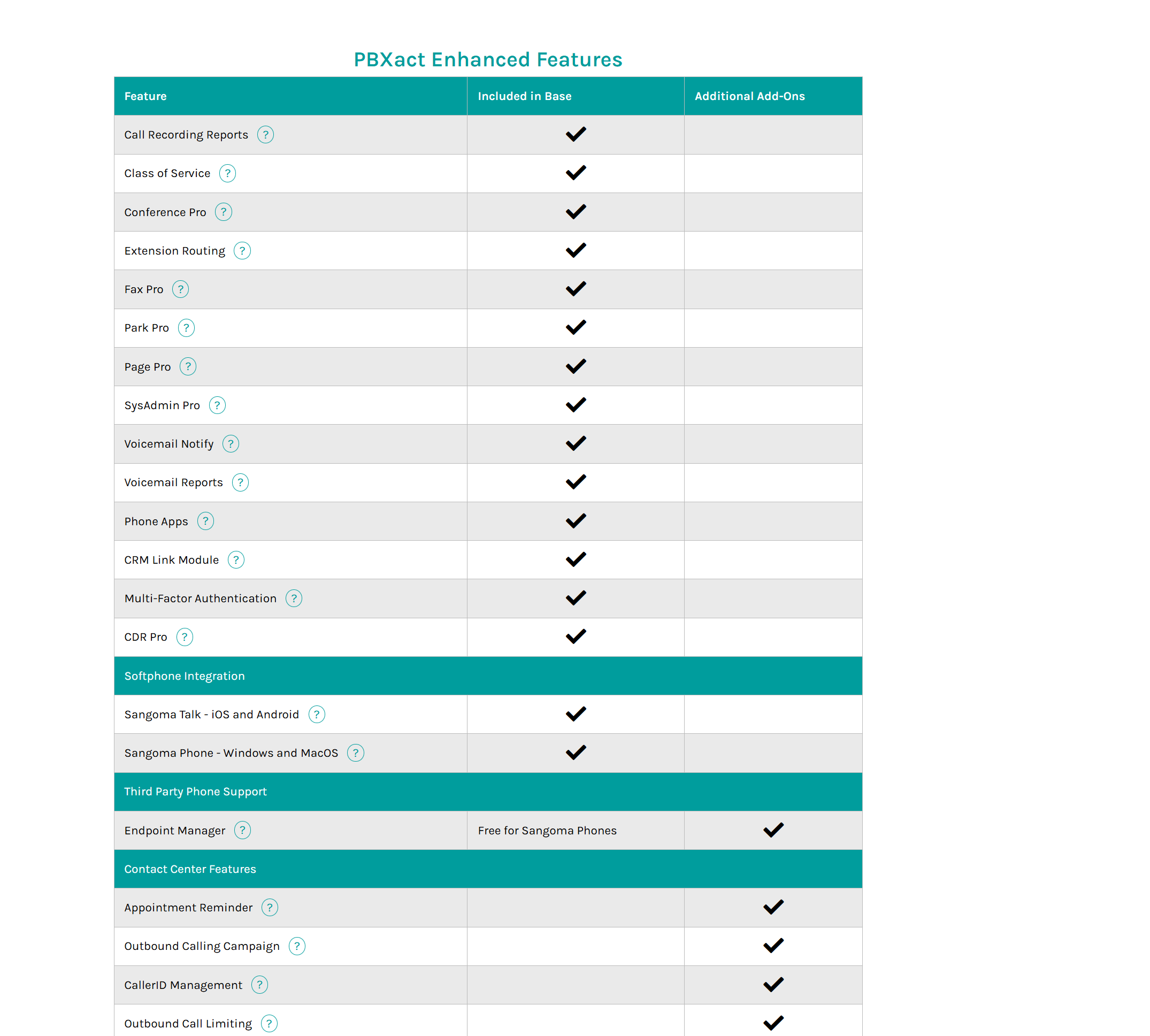
If you have PBXact, I’m not certain why you would be purchasing EPM, PBXact if properly licensed and updated should include the full EPM functionality, the separate license is for FreePBX systems. If you are looking for a commercially support platform to support your Yealink devices, you may want to consider Cloud Device Manager from ClearlyIP, this will support your Yealink devices: Cloud Device Manager - Manage Devices Easier, Faster & More Efficiently | CDM Home | Cloud-CDM End User Yearly
So @x201 you are aware that there are people on both of these forums (like me) and we can see exactly what happened at the other forum. You should keep that in mind when you’re making posts like this.
You posted at 5:30 PM EST (Sangoma’s North American Time Zone) on a Saturday for help with your commercial licensed PBXact system. You then posted here complaining no one is responding to you within 14 hours on a weekend.
This is a falsehood. You admitted this morning on the FreePBX forums (after Sangoma support replied to it this morning) that you assigned the wrong deployment ID and that you even sent an email to your sales rep the same day (Saturday) realizing that you used the wrong deployment ID. So you knew when you were posting here that you used the wrong deployment ID and said nothing to the people trying to help you.
So please don’t come here and give this community false information or leave out important things you did because you’re looking to complain about how Sangoma is not responding or helping you fast enough. This isn’t support McDonald’s where you make your order and honk your horn until someone gives it to you.
Also you have a PBXact system, you already paid for the commercial licenses by getting a PBXact system. You didn’t even need to license the EPM, it was already licensed.
Of course I know we all go to the same forums. That is why in this first post I mentioned the FreePBX forum.
Nothing at all about “falsehood”, when the guy on the freepbx forum sent me that wiki links i looked at it further. Started to realize that maybe that deployment id was not the right one but the obvious one didnt work.
that EPM version only works for their McDonalds phones they sell.
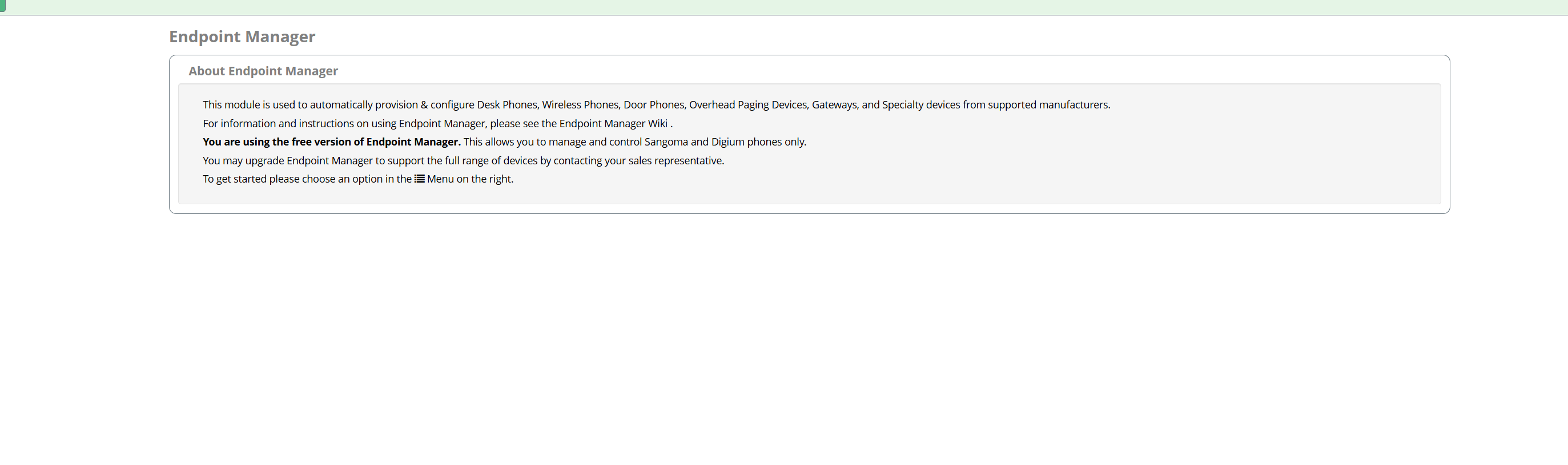
It is clear you did not do any sort of research on this. The EPM is free to use with their phones but if you want to use Yealink or Poly or any other vendors phones you need to purchase a license. You bought a PBXact system, it already has the full license (i.e. can use with other vendors) included in the PBXact system license you paid for.
So part of these issue here is you seem to have bought a license for the EPM while already have a fully licensed version attached to your system.
Hey I never said I was 100% right here. I’m just saying there could be some more clear ways for this to work. Obviously, you have a horse in this race, and that fine but you have to see that this is not clear at all. Whatever man, but I wasn’t trying to deceive anyone. I going to go get some McDonalds, thanks for the suggestion!
I feel your “pain.” I have had issues with Sangoma and EPM on FreePBX using all Digium and Sangoma phones on systems hosted on Cyberlynk (FreePBXHosting.com) Cyberlynk apparently provisions a “full” version of EPM with their FreePBX Hosting, but the client did not need or request the “full” version and only discovered it was provisioned when he started getting notices to pay for an annual “maintenance” fee. So a previous tech a couple of years ago requested a downgrade to the “free” Digium/Sangoma version which does not require the annual “maintenance” fee. Fast forward to earlier this year and the version of EPM was stuck at the version that was current when the downgrade was performed. And the client started getting notices of a “critical” Security update needed for EPM. Except that particular hosted system would not upgrade to the required version. But two other systems, one on a local server and another hosted on another cloud provider with Digium/Sangoma only phones and the “free” version of EPM DID upgrade to the required EPM version. Only the system hosted on Cyberlynk would not. I put in a ticket to Sangoma and got a lot of BS - basically telling me to pay for the upgrade, even though the Cyberlynk hosted system only has Digium phones.
TangoPBX is a trademark of TangoPBX LLC, FreePBX is a trademark of Sangoma US Inc, Asterisk is a trademark of Digium Inc.